Contributed By:
Cliff Hobbs [MVP SMS]
One of the really nice
features in Windows XP is the ability to right-click on a program and select
the "Run As..."
option to run that program in a different security context. But how do
you do this in Windows 2000?..
Well one way of doing this is:
- Create
a shortcut of the program you want to run.
- Right-click on the
shortcut and select "Properties"
from the context menu.
- Click on the "Shortcut"
tab and tick the "Run as
different user" checkbox
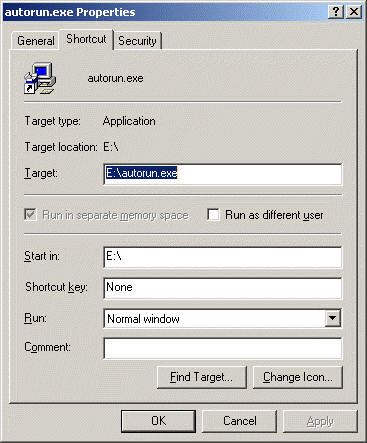
- Now when you double-click on the
shortcut you'll see the "Run As
Other User" dialog box that allows
you to provide the credentials to be used to run the program.
|


