Can I download the ConfigMgr Pre-Requisite Files BEFORE I run Setup?

Go back to the ConfigMgr 2007 Home Page


I need to install ConfigMgr on a server that doesn’t have Internet connectivity. Is there a way I can download the ConfigMgr pre-requisite files on a machine that does have Internet connectivity and then copies these over to the target machine then point Setup at this directory?

Contributed By: Cliff Hobbs [MVP ConfigMgr/ SMS]
Yes you can, but not only for the case you mention above but also to save bandwidth/ having to download the prereqs for every installation you do.

IMPORTANT: Bear in mind that Microsoft can change versions/ pre-reqs from time to time so it would be worth re-downloading the pre-reqs every so often to make sure you’re as up to date as possible.

To download the Prereq files manually before running ConfigMgr setup:

  1. On the machine that has Internet connectivity create a directory to hold the Prereq files.

  2. Insert the ConfigMgr CD.

  3. From a Command Prompt navigate to the “\SMSSETUP\BIN\I386” directory on the ConfigMgr CD.

  4. Type the following command:

    setup.exe /download <drive>:\<directory you want to use to store the prereq files>


    for example:

    setup.exe /download c:\configmgrprereqs

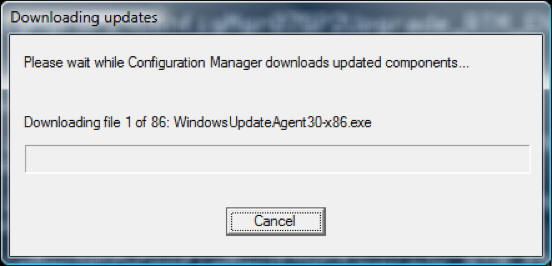
    You should then see the “Downloading updates” screen as shown below:


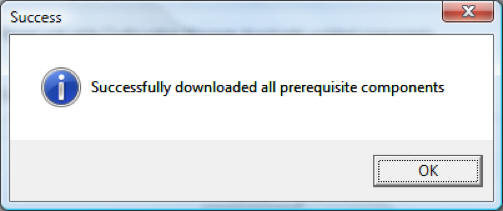
    Once the download has completed you will see the following screen:

  5. Click “OK” to close the “Success” dialog box.

  6. Copy the files onto the target machine.

    TIP: Open "ConfigMgrSetup.log" in the root of the drive from where you are running the command to monitor progress.


To see other ConfigMgr 2007 Installation and Configuration related FAQs click here.
© FAQShop.com 2003 - 2010

Go back to the ConfigMgr 2007 Home Page