|
Contributed By:
Cliff Hobbs [MVP
ConfigMgr/ SMS]
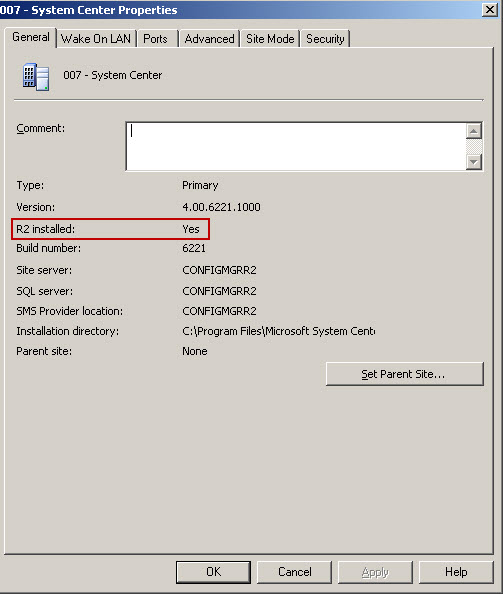
To see if R2 is installed on a Site Server:
- Load the
ConfigMgr Administrator Console.
- Navigate to "System
Center Configuration
Manager
| Site Database (<site_code>
– <description>)
| Site Management".
- Right-click
the relevant Site and from the context menu select "Properties"
which will display the "<site_code>
– <description>
Properties"
screen.
If R2 is installed You will see "Yes" beside "R2
installed:" as shown below:

|